
For tractors, skid steers, excavators and more
Every machine's service history, in one place.
IronLog is an iPhone logbook for your equipment. Track engine hours, log each oil change and filter, see what is due next, and share a PDF service history when you sell a machine or hand it to a mechanic.
- Runs on
- iPhone
- Account
- None needed
- Works
- Offline
IronLog Pro: $19.99 a year, or $2.99 a month.
Replaces the notebook in the cab
Hours, services, parts and costs for every machine, on the phone you already carry.
Due by hours or by date
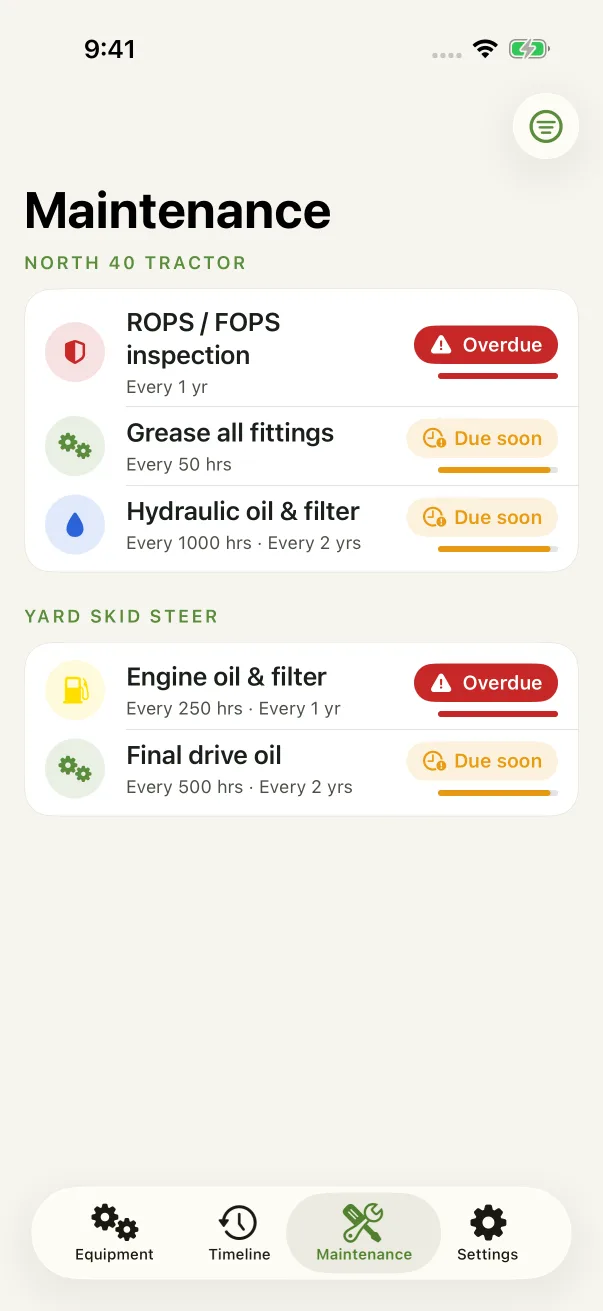
Set each interval in engine hours, months, or both. IronLog shows what is overdue and what is coming up.
Records you can hand over
Export a PDF service history for any machine to give a buyer, a dealer or your mechanic.
How it works
Four steps, from the first machine to a finished report.
Add a machine
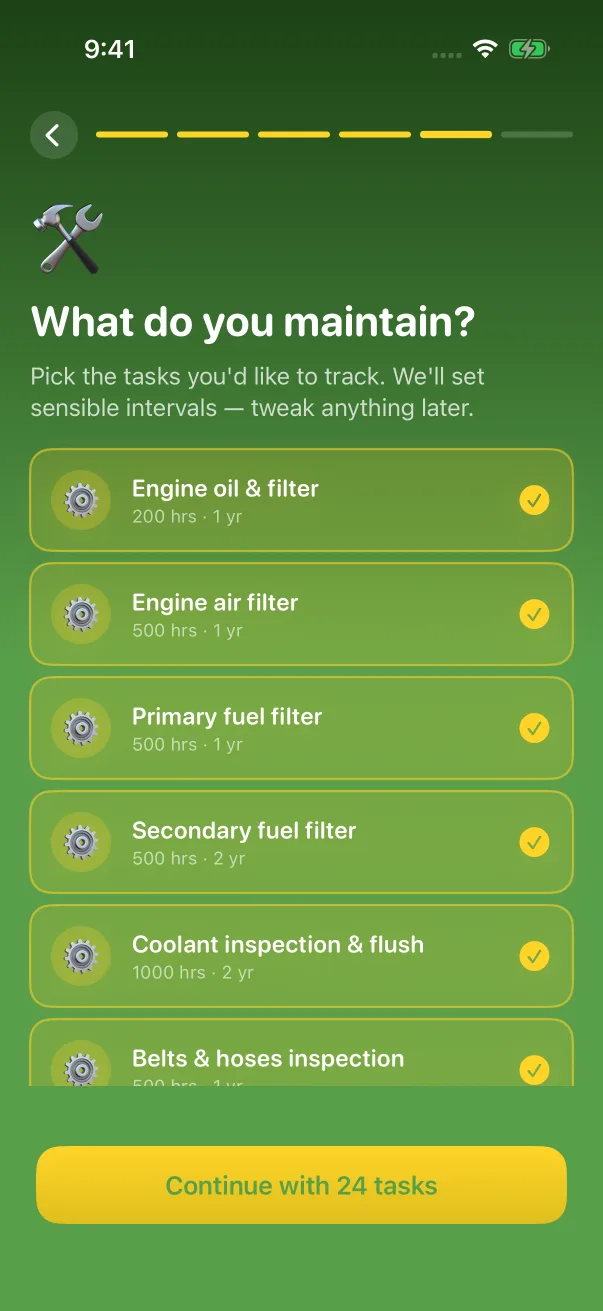
Choose the type, enter the engine hours, and start from a suggested list of maintenance tasks for that kind of equipment. Change any interval, or add your own tasks.
Log each service
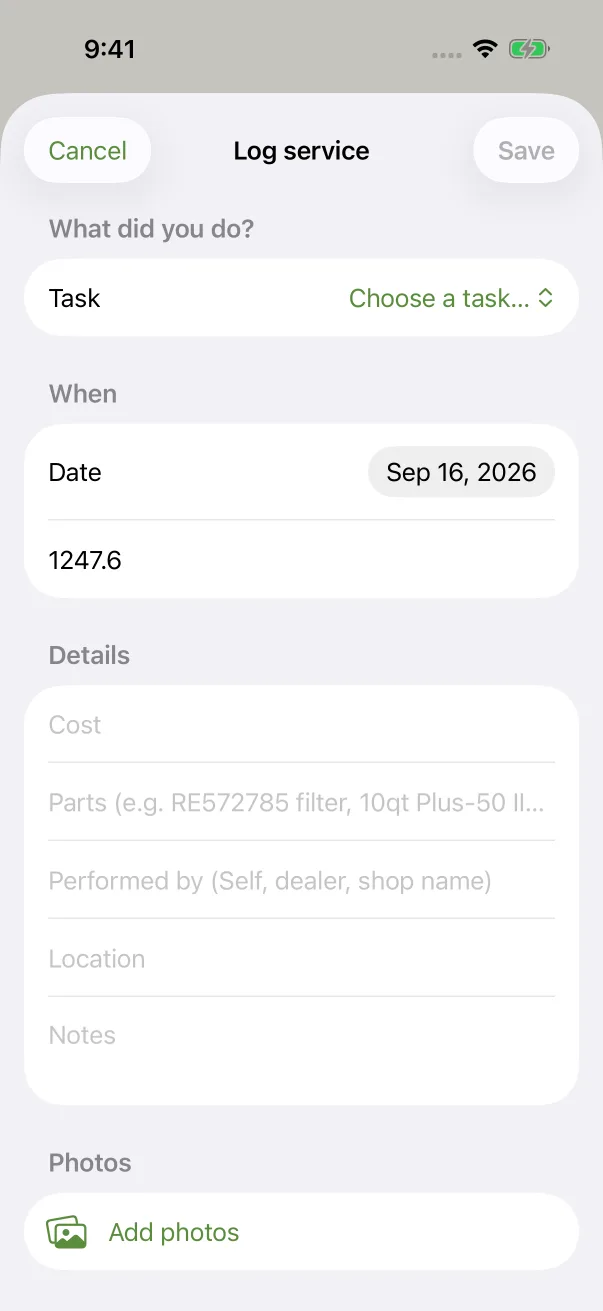
Record the date, the hours, the cost, the parts, who did the work and any notes. Take a photo of the receipt or the old filter, or pick one from your library.
See what is due
The Maintenance tab marks each task due soon or overdue, by hours and by date. Turn on reminders to hear about calendar-based tasks before they come due, and about renewal dates a month ahead.
Share the history
Export a PDF for any machine with its details, its engines and hours, every service record and the total spent. Send it from the share sheet or print it.
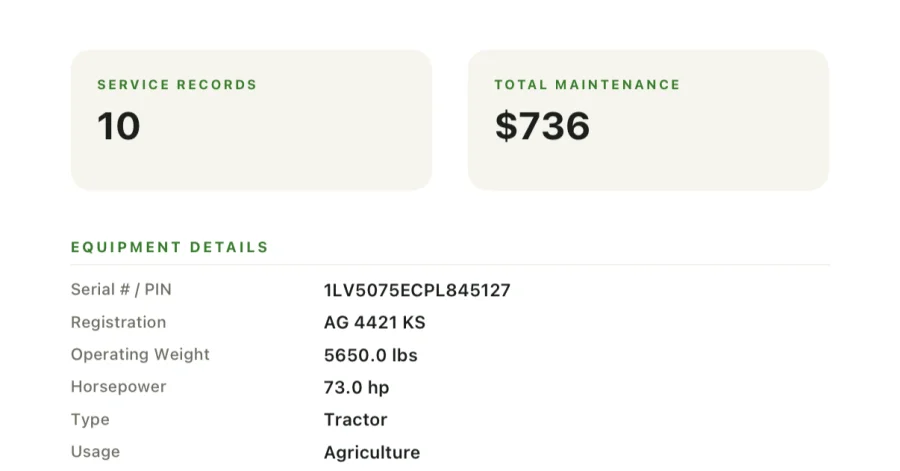
From an exported service history PDF, with sample data.
Features
What IronLog does
Tractors, skid steers, excavators, wheel loaders, backhoes, dozers, combines, telehandlers, forklifts, generators, heavy trucks, and anything else with an hour meter or a service schedule.
Hours for every engine
Each machine can have more than one engine, and each keeps its own hour meter. Every reading is saved with its date.
Maintenance intervals
Suggested tasks for each equipment type, from engine oil and filters to hydraulics and greasing. Set intervals in hours, months or both.
A complete service log
Date, hours, cost, parts, who did the work, location, notes and photos from the camera or your library. The Timeline tab lists every service across all of your equipment.
Documents with expiry dates
Attach the manual, inspection reports, insurance, registration, title, receipts and warranties as PDFs or images, each with an optional expiry date.
PDF service history
A report for each machine with its details, engines, service records and total spent, ready to share or print.
Reminders and renewals
Opt in to notifications before calendar maintenance is due and while it is overdue, and 30 days before a registration, warranty or document expires.
Your data
Your records stay on your iPhone.
IronLog works without a signal, in the shop or out in the field, because everything it needs is on the phone.
Stored on your iPhone
Your records live in IronLog on the device. There is no IronLog server holding them, and no iCloud sync in this version.
No account
Nothing to sign up for. Your subscription belongs to your Apple ID.
Backups you control
Export everything to one backup file whenever you like, and import it on a new iPhone.
No ads, no tracking
No ad or analytics SDKs. Crash reports go to Firebase Crashlytics so we can fix bugs, and they never include your records.
The details, including exactly what a crash report and a feedback message contain, are in the privacy policy.
Pricing
One subscription. Everything included.
IronLog Pro unlocks the whole app. There is no free tier and nothing sold separately.
Annual
$19.99per year
Or monthly: $2.99 per month.
Included in IronLog Pro
- Equipment, engines and hour readings
- Maintenance tasks with hour and calendar intervals
- Service log with cost, parts, notes and photos
- Timeline of every service
- Documents with expiry dates
- PDF service history for each machine
- Maintenance and renewal reminders
- Backup export and import
US prices. The App Store shows the price for your country before you confirm. Payment is charged to your Apple ID, and the subscription renews automatically unless cancelled at least 24 hours before the end of the current period. Manage or cancel it in your iPhone's Settings, under your name, then Subscriptions. See the terms and support.
Frequently asked
Questions, answered.
What equipment can I track?
Tractors, skid steers, excavators, wheel loaders, backhoes, dozers, combines, telehandlers, forklifts, generators and heavy trucks, plus an Other type for anything that is not on that list. Each machine can have more than one engine, and each engine keeps its own hours.
Does IronLog remind me when maintenance is due?
Yes, for anything with a date. Turn on reminders during setup, or with Maintenance reminders in the Settings tab, and allow notifications. For a task with a calendar interval, such as every 12 months, IronLog reminds you a few days before it is due and on the due date, then once a week while it is overdue.
Renewal dates get reminders 30 days and 1 day ahead: a machine's registration and title dates, an engine's warranty date, and any document with an expiration date, such as an insurance card.
Hour intervals do not send notifications, because IronLog cannot know when you will run the machine. The Maintenance tab shows how close every task is, by hours and by date, and marks anything overdue. Reminders are scheduled on this iPhone; no server is involved.
Can I keep documents like the manual, registration or insurance?
Yes. Open the machine and, under Documents, tap Attach a document to add a PDF or an image. Choose a type (owner's manual, inspection report, insurance, registration, title, receipt, warranty or other), and turn on Track expiration to add an expiry date that IronLog can remind you about.
Where are my records stored?
On your iPhone, inside IronLog. There is no IronLog account and no IronLog server that holds your equipment records, and IronLog does not sync to iCloud in this version.
If your iPhone uses iCloud Backup, Apple includes IronLog's data in that device backup, as it does for most apps. Otherwise, if you delete the app or lose the phone without a backup, the records cannot be recovered, by you or by us.
How do I back up my records or move them to a new iPhone?
In the Settings tab, under Data, tap Export data. IronLog creates one backup file with all of your equipment, engines, hours, maintenance tasks, service records, photos and documents. Save it to Files, AirDrop it, or email it to yourself.
On the new iPhone, install IronLog, restore your subscription, then go to Settings, Data, Import data and choose the file. Merge with current data keeps what is already there and adds the backup. Replace everything deletes the current records first, then restores the backup.
How much does IronLog cost?
IronLog Pro is $19.99 a year, or $2.99 a month. Prices shown here are in US dollars; the App Store shows the price for your country before you confirm.
Payment is charged to your Apple ID when you confirm the purchase. The subscription renews automatically unless you cancel it at least 24 hours before the end of the current period.
How do I cancel my subscription?
Apple bills and manages the subscription. In IronLog, open the Settings tab and tap Manage Subscription, or in the iPhone Settings app tap your name, then Subscriptions, then IronLog, then Cancel Subscription. Deleting the app does not cancel it.
Cancel at least 24 hours before the renewal date to avoid the next charge. After cancelling, you keep access until the end of the period you already paid for.
Does IronLog track me or show ads?
No. IronLog has no ads, no advertising or analytics SDKs, no account and no tracking across apps or websites. The only third-party code in the app is Firebase Crashlytics, for crash reports. This website sets no cookies and runs no analytics.
More answers, and a way to reach us, on the support page.
Start the logbook today.
Add your first machine in a couple of minutes. IronLog Pro is $19.99 a year, or $2.99 a month.